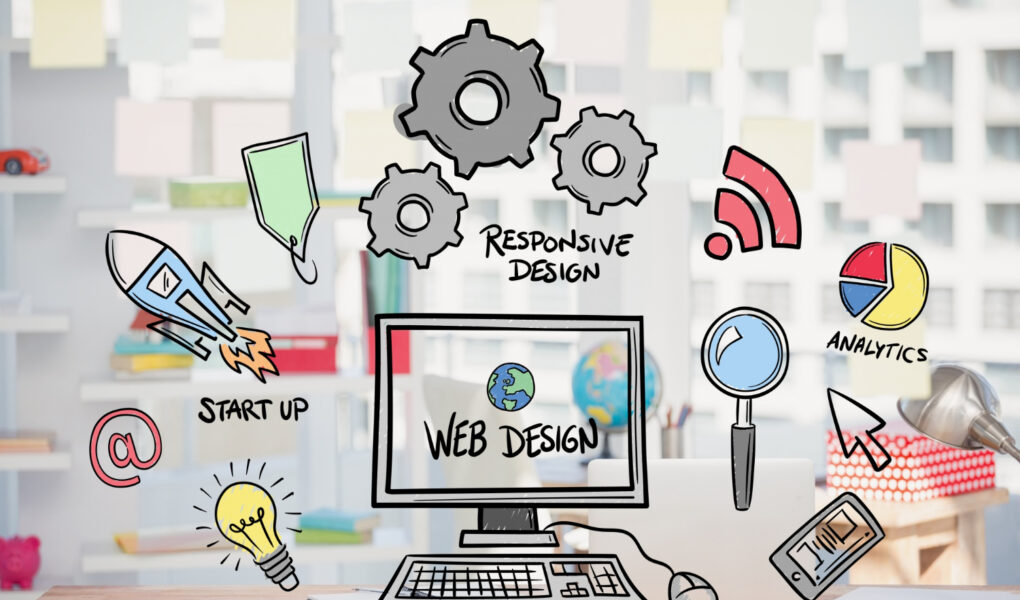
Website building doesn’t just involve publishing content online but also focuses on providing an intuitive user experience. If the website design of your brand is not appealing, then potential visitors will drive away to other brands’ websites, affecting your business growth. The first impression that your website makes is 94% concerned with how the website is designed.
This implies that the overall appearance and interface of a website significantly affect visitors’ response the moment they land on a webpage. With a suitable website design tool, you can craft a visually stunning website that can grab the attention of potential visitors and aid in your business growth. This article delves into top website design tools that present an appealing interface, advanced functionalities, and intuitive workflows, helping you to build a responsive, visually appealing website.
Parameters to Consider While Choosing a Website Design Tool
Evaluating the aspects discussed below can make it simpler to choose the most suitable website design tool:
1. Know your requirements
The choice significantly depends on your requirements, goals, and expectations. If you are an individual creator or running a startup, then you can pick a tool that ensures simplicity and speed. But if you are a web developer, then you would perhaps need a tool with clean code and flexibility to customize almost all features. For design teams and agencies, it is best to look for a website design tool that supports client management and collaboration.
2. Assess your technical skillset
Evaluate how knowledgeable and skilled you are at web design. If you are a beginner and have minimal or zero coding experience, then look for a tool with drag-and-drop editor support. This functionality displays your changes in real-time and allows you to build webpages without any coding.
If you have coding experience, you can look for a tool with advanced prototyping features. If you are a professional aiming to build a website for your clients, look for a tool that balances visual interface and efficiency. In addition to drag-and-drop support, focus on advanced controls (like responsive adjustments, custom styling, and competence in managing multiple projects).
3. Interface
It is essential to prioritize a user-friendly interface to make sure your website appears visually aesthetic. While choosing, look for consistency in design elements, real-time feedback, and logical grouping of features. A well-designed interface enables a smooth transition between editing, design, and preview modes.
4. Customization
As your website grows, it will demand more customized features. You can look for open-source platforms that come with a broad plugin ecosystem as well as code-level customization. Many proprietary tools might lack flexibility; hence, you need to take into account future needs (like third-party integration, SEO support, etc.).
5. Budget
These tools are available as free open-source and premium subscriptions. Consider your budget and accordingly choose the most appropriate tool. Evaluate the pricing models (like monthly fee, one-time license, etc.). Also, check for any hidden costs (like plugins, hosting, etc.).
Recommended: 10 Creative Tips to Design a Website that Generates More Leads
Top 10 Website Design Tools for Building Stunning Websites
1) Wix
This no-code website builder is appropriate for individuals, enterprises, and small businesses. It lets you design, administer, and grow your brand’s online presence as per your specifications. Some of its key specialties include drag-and-drop support, advanced design flexibility, integrated business tools, and AI-driven designs.
It is wise to choose this tool if you aim to launch an online store, a blog, or a portfolio. It has marketing-focused features and supports scalability features that help in your brand’s growth.
The tool is available in three choices are (i) Wix Editor, (ii) Wix Artificial Design Intelligence (ADI), and (iii) Velo by Wix. Beginners can opt for Wix Editor because it provides drag-and-drop support and plenty of customizable templates. Wix ADI develops the whole website as per your preference. Velo by Wix is best for independent web developers aiming for a custom website user experience.
Key features:
- Its drag-and-drop feature means you don’t need to have any technical or coding skills.
- Over 900 templates are included to suit the needs of different industries and businesses.
- SEO-friendly features let your website rank well on search engines.
- It supports enterprise-grade security.
2) Adobe XD
You can now create engaging wireframes for websites, desktop applications, and mobile apps with Adobe XD. Learning how to create wireframes is easy; you only require a few fundamental web design elements. In case you wish to have advanced features, the tool provides templates for desktop and mobile apps. Moreover, designers can prepare
Key features:
- It incorporates clickable prototypes with smooth transitions, promising an appealing user interface.
- 3D rotating and scaling supports help make your web design more detailed and contextual.
- Once you create your design, you can share it to the cloud and get feedback (real-time) through cloud documents.
3) Google Web Designer
It is now possible to prepare engaging HTML5 designs and videos using Google Web Designer; no coding skills required. The tool is valuable for making animations, multimedia content, and ads swiftly and effortlessly.
Its pre-built templates allow you to design appealing web content and banners. If you envision creating visually aesthetic and responsive designs in little time, then you can go for this tool.
Key features:
- It is fully free; no subscriptions or paid plans.
- It can work offline after setup.
- It enables users to edit CSS, JavaScript, and HTML5 for enhanced control.
4) Canva
What sets Canva stand out is that it boasts a myriad of professional templates and graphic categories. It is straightforward to prepare one-page websites with the Canva Website Builder. Such single-paged websites work well for your portfolios, retail sites, etc.
Its huge template library and drag-and-drop editor make it simpler to create responsive websites, although you lack coding skills. Therefore, Canva is renowned for education, marketing, and social media promotion.
Key features:
- It boasts 250,000+ templates that can be customized for different formats.
- You can invite other people to co-design, edit, and comment concurrently.
- The built-in AI features allow generating content, visuals, and layouts as per your preference.
5) ClickUp
ClickUp is a versatile web design tool because it helps with the design process, feedback sharing, and optimizing a team’s resources. Its dashboard shows your design projects and integrates your favorite design tools. The team collaboration is simplified because Canva supports real-time editing.
Key features:
- The project workflow is simplified with customizable tasks, nested subtasks, and checklists.
- It comes with over 50 actions, conditions, and triggers to save your time while designing.
- You can create stunning visual outlines from your existing task or a blank canvas with the pre-built Mind Maps.
6) Figma
Figma allows creating and editing web designs by customizing various elements ranging from icons to illustrations. You can collaborate with others in real-time and can even build your application. After developing your design idea on Figma, you can import it to JS, CSS, and HTML through the Figma editor.
Key features:
- It is cloud-based, so it eliminates the need for software setup. It works well from any device having an internet connection.
- Auto-save feature saves changes automatically to avoid data loss.
- Its interface works well for designing websites, mobile apps, and intuitive prototypes.
7) Webflow
Professional designers aiming for high customization flexibility can go for Webflow. It does not need coding knowledge. Its CMS, visual editor, and AI features provide content blocks and layout recommendations. So, you can customize and scale up the designs as you want. The characteristics that make it popular are a clean and responsive design and exportable code.
Key features:
- The built-in CMS handles content programmatically or visually with its APIs.
- Its AI Assistant accelerates webpage creation.
- It enables you to launch secure, scalable websites adhering to your business needs and regulations.
8) Marvel
Marvel is an advanced website builder popular for its ease of customization. Its drag-and-drop feature lets you easily craft a responsive website, although you lack programming skills. It simplifies converting a design template into online prototypes without writing any code. Hence, Marvel is a recommended option for beginners. Its rich library of assets and templates simplifies the overall web design process.
Key features:
- Its flexible branding templates are tailored to various web elements.
- You can use its premium built-in icons in designs.
- In-text fonts can be incorporated in images.
9) WordPress
WordPress has been a very renowned solution for web design for years. It provides exceptional design flexibility through plugins, themes, and developer access. The seamless customization and a dynamic global community are quite valuable for anyone aiming to build a business site, an online store, or a blog.
Key features:
- The drag-and-drop blocks allow creating and tailoring the content.
- You can opt from over 13,000 themes.
- Enriching your website functionality is simplified with its collection of over 60,000 plugins. These plugins help design your eCommerce site and also help with SEO.
- You can adapt the code and host your website anywhere.
10) Vectr
This free-to-use, cloud-based tool is helpful for designing logos, vector images, and illustrations. High-level design skills are not required to use this tool. The real-time collaboration support makes Vectr a preferred choice for beginners and teams looking for scalable, simple graphics. It is easy to create even complex designs with its smart automation and multi-device synchronization.
Key features:
- The easy-to-learn interface helps you design quickly.
- Background remover is supported.
- The vector and logo generator are AI-driven to ensure superior quality designs.
Final Words
You can let your website stand out and attract more visitors if it is designed to be visually appealing. The choice relies on your expertise level, goal, budget, and features required. The discussed tools present a visually aesthetic interface and also support advanced functionalities that simultaneously help boost your business’s growth. You can also Use the best landing page design tips to increase conversion They save time and allow you to explore creative options to build the most stunning website, the way you prefer.

Harikrishna Kundariya, is a marketer, developer, IoT, Cloud & AWS savvy, co-founder, and Director of eSparkBiz, a Software Development Company. His 14+ years of experience enables him to provide digital solutions to new start-ups based on IoT and SaaS applications.